
How the process works
Verify a MoFA attestation online
Short answer
To verify a completed MoFA attestation, open verify.mofa.gov.ae and enter the Attestation Reference Number and issue date printed on the document. This checks the completed record, not courier progress. Compare the returned document details with the original; a sticker or QR code alone does not prove authenticity.
- Official checker
- verify.mofa.gov.ae
- Details required
- Reference number and issue date
- Digital UAE documents
- UAE PASS verification may also be available
- Can appearance prove authenticity?
- No
Process map
Your route at a glance
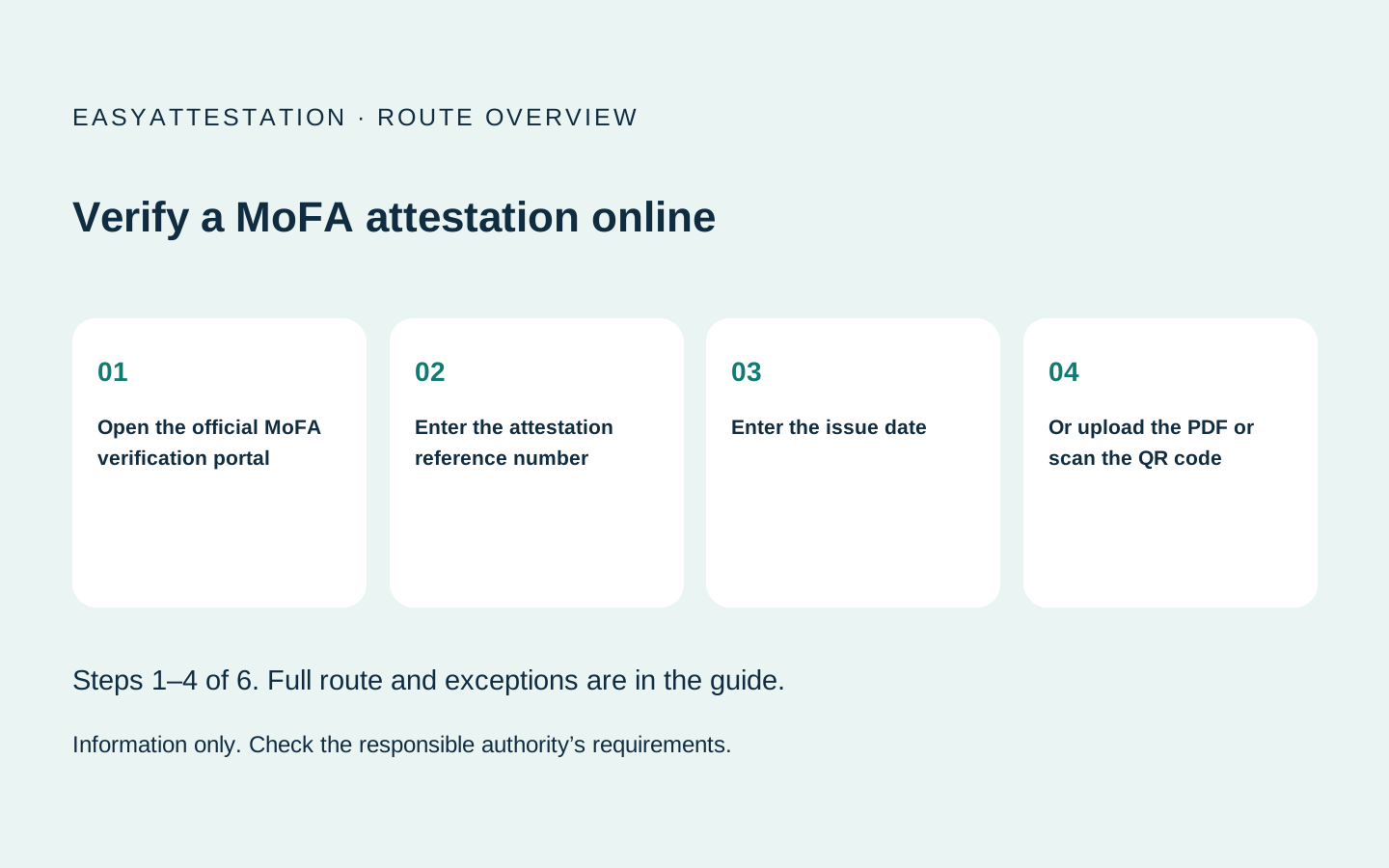
- 01 Open the official MoFA verification portal MoFA
- 02 Enter the attestation reference number You
- 03 Enter the issue date You
- 04 Or upload the PDF or scan the QR code You
- 05 Compare the returned record with the document
Application still in progress?
Application progress is shown under Application Status on the same portal (ATS number + registered mobile + OTP) and in your MoFA account. See MoFA attestation tracking.Verification and application tracking are different
Application tracking answers “where is my request?” Verification answers “does MoFA recognise this completed attestation?” A courier status can say delivered while the application is still being reviewed, and a screenshot of an agent dashboard cannot establish that a final stamp is genuine.
Use Document Status on the official verifier for the finished document: enter the reference number and issue date, or upload the attested PDF, or scan the QR code on a mobile device, under Verify Document. For progress before completion, use Application Status on the same portal or your MoFA account; the appointed courier only shows movement.
What a successful result does—and does not—prove
A successful MoFA lookup supports that the ministry issued the attestation record connected with the entered details. MoFA’s service certifies signatures and seals; it does not independently prove every statement inside the underlying certificate. Degree recognition, professional licensing and primary-source university verification remain separate processes.
Red flags before you pay anyone
- A “verification portal” hosted on an agency domain rather than a government domain.
- A request for your passport, Emirates ID or banking details merely to check a reference.
- A screenshot offered instead of a result you can reproduce yourself.
- A seller who will not provide the attestation reference number and issue date.
- A valid reference whose returned document type does not match your certificate.
None of those alone is a legal finding of fraud. They are reasons to pause and verify through MoFA before the document is used.
The process, step by step
Open the official MoFA verification portal
Type verify.mofa.gov.ae directly or follow the verification link from mofa.gov.ae. Do not enter document details into an agency-built status form.
Enter the attestation reference number
Use the reference printed on the result, not an agent order number, courier tracking number or payment reference.
Enter the issue date
Use the date attached to the attestation result. A certificate date or courier date may be different.
Or upload the PDF or scan the QR code
Or upload the attested PDF, or scan the QR code on a mobile device, under Verify Document.
Compare the returned record with the document
Check the document type, issuing authority and available identifiers. A valid reference attached to different details is not validation of the paper in front of you.
Escalate a mismatch through MoFA
Do not pay an intermediary to “correct” a failed verification. Preserve the document, reference and payment record and use the official MoFA contact channel.
Document enquiry
Request an independent route assessment
Send the document type, issuing country and intended use. An independent provider may reply with the route and its own quote.
EasyAttestation is operated by Sandesh Solutions FZE. We provide information and referrals; we do not perform attestation.
Prefer to speak now? Call +971 50 304 7470
Common questions
Where can I check my MoFA attestation status?
Can I verify a MoFA stamp using its QR code?
How do I check if a UAE attestation is original or fake?
Can an agent check the document for me?
What if the official verifier does not find the reference?
Sources and last review
Reviewed 27 September 2026. Fees and procedures in this area change without notice — always confirm against the authority's own published information before paying. This page is general information, not legal advice.